
Managed IT services are a monthly support arrangement where an IT provider looks after your day-to-day technology, keeps it stable, and helps your team when something goes wrong.
If you’re a UK small business without in-house IT (or with a small internal team that needs backup), managed IT is a practical way to reduce downtime, improve security, and stop IT problems from interrupting work.
WHAT YOU GET WITH MANAGED IT
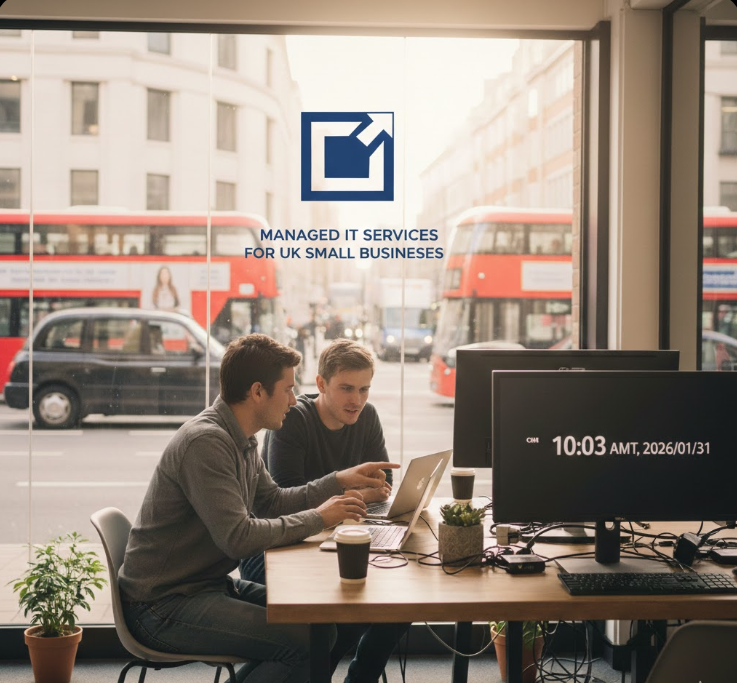
Every provider packages things differently, so the most important thing is clarity. A good managed IT service usually covers these areas.
1) Helpdesk support for your team
When someone can’t log in, email stops syncing, Teams won’t connect, or a laptop is running slowly, you need fast help.
Typical helpdesk support includes:
- User and device support (Windows and/or Mac)
- Email and Microsoft 365 support (Outlook, Teams, SharePoint basics)
- Password resets and account access issues
- Printer, Wi‑Fi, and connectivity troubleshooting
- New starter and leaver setup
- Remote support (and onsite support when needed)
2) Monitoring and maintenance (so issues are caught early)
Managed IT should not be “wait until it breaks.” Monitoring helps spot problems before they turn into downtime.
This often includes:
- Device health monitoring (performance, disk space, errors)
- Patch management (operating system and common apps)
- Routine maintenance checks
- Basic reporting on what’s been fixed and what needs attention
3) Security basics that reduce common risks
Most small businesses are exposed to the same repeat problems: weak passwords, missing updates, and phishing.
A sensible managed IT service typically includes:
- Endpoint protection (antivirus/EDR depending on your needs)
- Multi-factor authentication (MFA) setup and enforcement
- Secure account management for joiners/leavers
- Patch management (a key part of security)
- Practical guidance for staff (simple rules that reduce risk)
4) Backups and recovery
Backups only matter if they can be restored quickly.
Managed IT often includes:
- Backup setup for key systems and data
- Monitoring to confirm backups are running
- Support with restores when you need them
If you use cloud tools (like Microsoft 365), it’s important to be clear about what is and isn’t backed up.
5) Microsoft 365 and cloud support
Many UK small businesses run on Microsoft 365. Managed IT commonly includes:
- User management and permissions
- Teams and collaboration setup support
- SharePoint and file access basics
- Security settings aligned to your licences
If you use other cloud platforms, the same principle applies: keep access controlled, keep systems updated, and keep support straightforward.
WHAT’S OFTEN EXTRA (AND SHOULD BE CLEARLY LISTED)
To avoid surprises, it helps to separate “included support” from “project work” and specialist services.
These are commonly charged separately:
- Major migrations (email, servers, Microsoft 365 tenants)
- Office moves and network rebuilds
- New hardware purchases (laptops, firewalls, switches)
- Advanced cybersecurity services (24/7 security monitoring, incident response)
- Compliance documentation and audit support
- Bespoke software support and complex integrations
- Out-of-hours support and frequent onsite visits (depending on the agreement)
None of these are bad. You just want them written down.
WHO MANAGED IT IS FOR
Managed IT is usually a good fit if:
- You have 10–250 staff and need reliable IT support
- You don’t have in-house IT, or your internal team needs backup
- You want fewer IT disruptions and clearer accountability
- You want security basics handled properly (not “best effort”)
- You need support for remote and hybrid working
Managed IT may not be the best fit if:
- You only need help once or twice a year
- You want a provider to “just do what we ask” with no standardisation or security controls
- You need 24/7 onsite engineers across multiple locations (some providers do this, but it’s a different setup)
HOW MANAGED IT SUPPORT TYPICALLY WORKS
Most providers deliver support remotely first, then go onsite when needed.
A clear service will explain:
- Support hours (business hours or extended)
- How you contact support (phone, email, portal)
- Expected response times
- What counts as included support vs a project
- How onboarding works
WHAT TO ASK BEFORE YOU CHOOSE A PROVIDER
If you’re comparing managed IT providers in the UK, these questions make it easier to spot the difference between a good service and a vague one:
- What exactly is included, in writing?
- What security controls are included (MFA, endpoint protection, patching, email security)?
- What is backed up, how often, and how do restores work?
- How do you handle onboarding and documentation?
- Who will we speak to day-to-day, and what happens if they’re unavailable?
- What’s the contract and exit process if we ever leave?
COMMON QUESTIONS
Do you support remote workers?
Yes—remote support is standard for most managed IT services. The important part is making sure remote access is secure and consistent.
Do you provide laptops and IT procurement?
Yes—Many providers can supply and configure hardware. It’s best to confirm whether procurement is included or handled separately.
Can you help us with Cyber Essentials?
Yes—Some providers can guide you through Cyber Essentials readiness and the practical steps needed to meet the requirements.
What happens if we have a security incident?
A good provider should explain the process clearly: isolate the issue, secure accounts, restore systems where needed, and document what happened.
How quickly can you onboard us?
Onboarding timelines vary depending on complexity. A provider should be able to explain the steps and give a realistic timeframe.
NEXT STEP
If you want managed IT services that are clear, practical, and designed for UK small businesses, the next step is a short conversation about your current setup and what you need support with.
Bring these details and you’ll get a faster, more accurate recommendation:
- Number of staff and devices
- Whether you use Microsoft 365
- Any compliance requirements (if applicable)
- Your main pain points (slow support, security concerns, downtime, remote work)
- Any key systems you rely on (line-of-business apps, servers, cloud platforms)
Discover Your IT Infrastructure’s Impact on Business Success
Answer 15 questions and we’ll send you a personalised report
Take our quick quiz to assess whether your IT infrastructure is a competitive advantage or a roadblock. Small business owners can gain insights and actionable steps to enhance their technology framework, ensuring it supports growth and efficiency. Start optimising your IT today!
Quiz Link: Scorecard